
Use the work order to record whether a customer wants replaced parts returned. This keeps the selection with the job and adds the appropriate statement to the customer-facing estimate.
Record the Customer’s Selection
- Open the applicable work order.
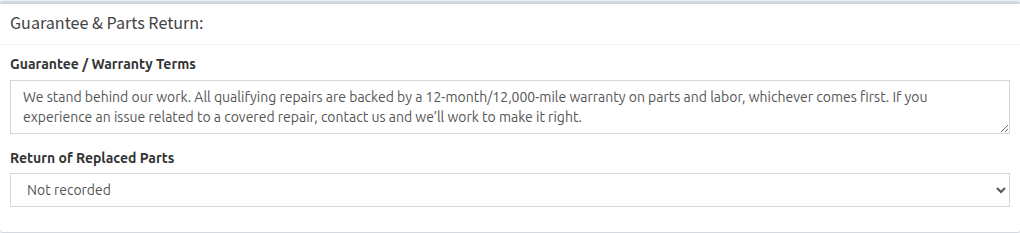
- Scroll to Guarantee & Parts Return.
- Open Return of Replaced Parts.
- Select Customer requested return of replaced parts or Customer declined return of replaced parts.
- Wait for the update confirmation, then preview the estimate before sharing it.
Understand the Available Choices
- Not recorded: No replaced-parts statement appears on the estimate.
- Customer requested return of replaced parts: The estimate states that the customer requested all replaced parts except items required for warranty or core exchange.
- Customer declined return of replaced parts: The estimate states that the customer declined the return of replaced parts.
The replaced-parts statement appears on estimates only. It does not appear on invoices.