
Review and adjust warranty terms on each work order before sending an estimate or invoice to the customer. Changes made here apply only to the current work order.
Add or Change Warranty Terms
- Open Work Orders and select the work order you want to update.
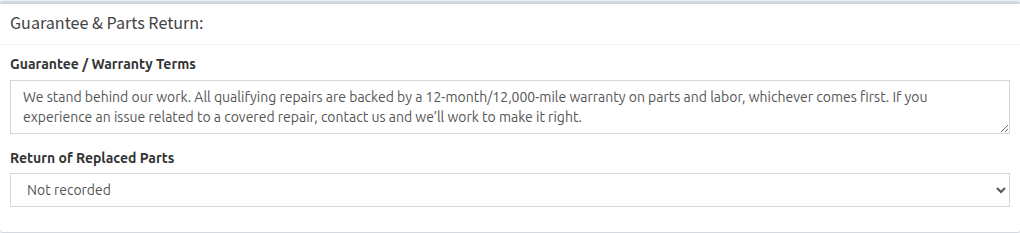
- Scroll to Guarantee & Parts Return.
- Review the text in Guarantee / Warranty Terms. New work orders may already contain the default from your Company Profile.
- Edit the terms for this job as needed.
- Click or tap outside the field and wait for the update confirmation.
Review the Customer Document
Preview the estimate or invoice before sharing it. Estimates show the guarantee when terms are entered. Invoices always include a guarantee line and show Guarantee: None if the work order has no warranty terms.

Important: Finish your warranty and replaced-parts entries before sending or printing the customer document.