
Instructional video:
To find the company profile settings page:
- Visit app.hibbittsautopro.com and log in.
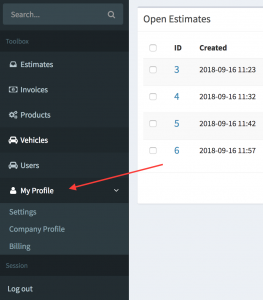
- In the left column menu select the “My Profile” link. When this link is clicked it will expand and reveal new options.
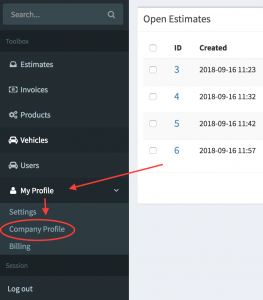
- Within these new options that have been revealed, select the “Company Profile” link.
- You are now on the company profile edit screen. The remainder of this guide covers each of the fields and their purpose.
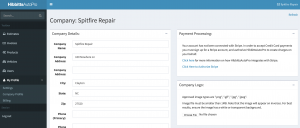
Company Profile Sections:
-
Company Details Form
Contains information on how to adjust your company address, change the text that displays on your estimates and invoices, adjust your tax rate, parts markup, shop currency and more.
-
Payment Processing Setup (POS)
Contains information on setting up payment processing so that you can begin collecting credit cards and processing payments.
-
Company Logo Uploads
Contains information on how to add a company logo to your invoices.
-
Data Exports
Contains information on how to export all of your estimates and invoice information from hibbittsautopro.com